Are you tired creating a new grocery list with the same items each time you go shopping?
Are you annoyed when you forget your shopping list and return home with shopping bags filled with missing items?
Are you frustrated when your spouse arrives home from the grocery store but forgot key items?
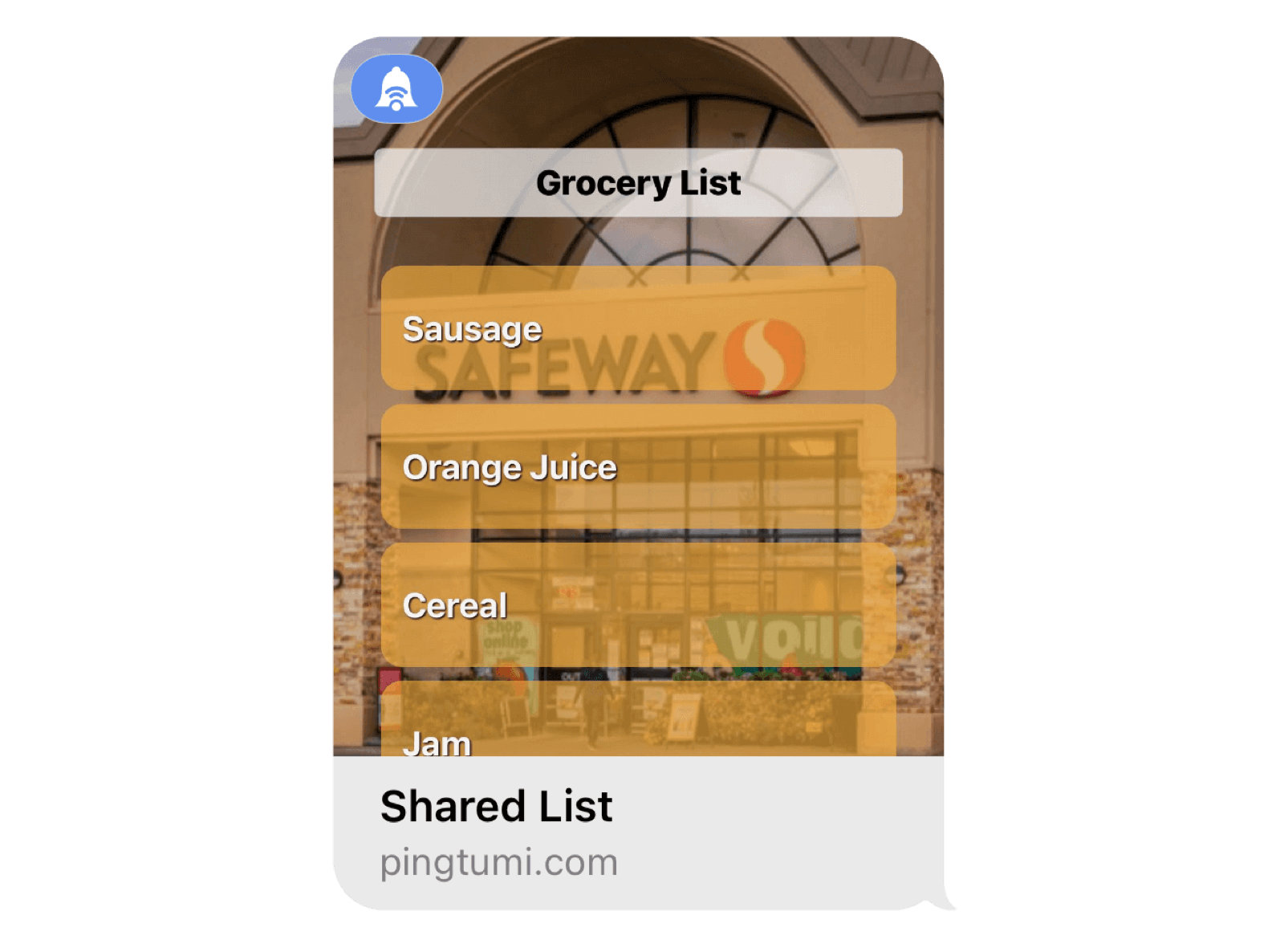
If you answered yes to any of the above then you’re going to love Shared List for iMessage. Shared List enables you to create a list of items and send that list to anyone in your iMessage group. The recipient could be a single person or as many people as you wish. Recipients can add and delete items then send the updated list to everyone. For your convenience, items are automatically saved to your iPhone so the next time you create a list, you can access the saved items without having to re-create each item. You can also leverage the speech to text capabilities of your iPhone to make adding items super easy.
Your shared list is not limited to grocery items, it can contain anything you or your group deem important. It could be a list of tasks, a list of places to visit, a list of accomplishments. It’s totally up to you.
To get started, follow the steps below. We hope you enjoy using our iMessage extension. For additional messaging capabilities, check out the Pingtumi app and learn how you can improve communications with large groups via scheduled and real time push notifications.
1. Download Pingtumi from the App Store then locate and launch iMessage on your iPhone.

2. Scroll the app drawer below the message input bar and select Pingtumi.
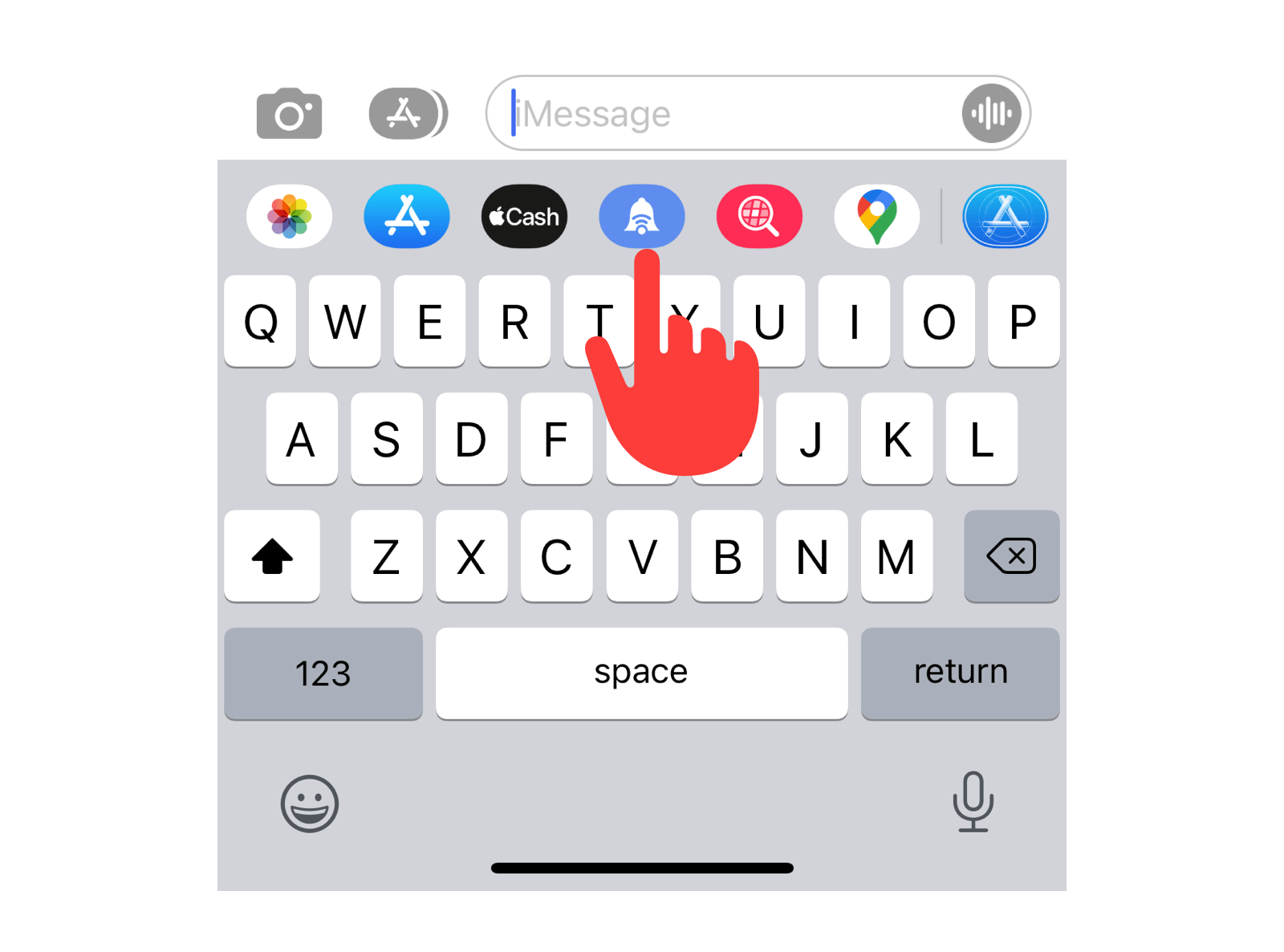
3. Select “Select iMessage App”.
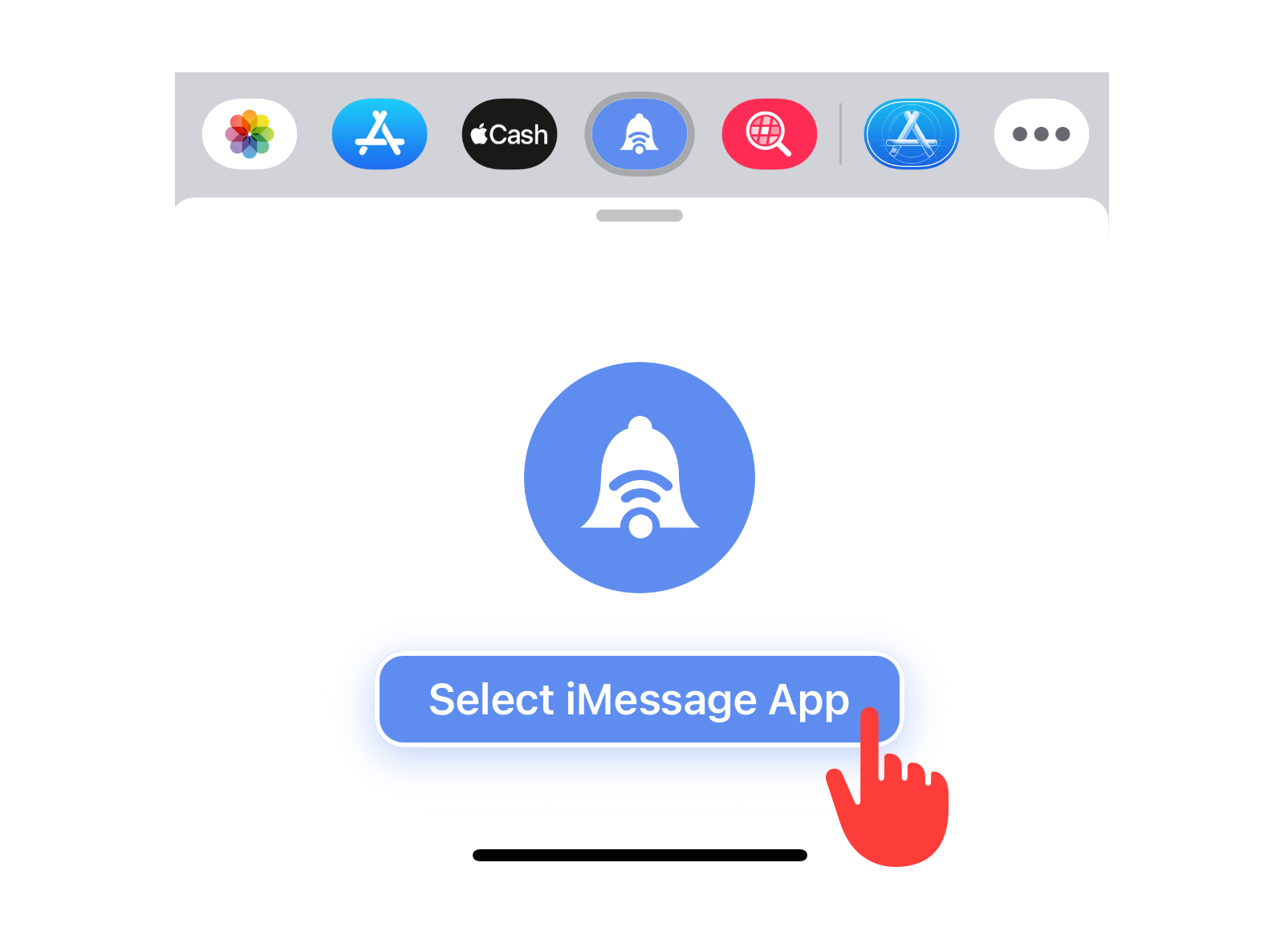
4. Select “Shared List” from the list of apps.

5. Give your list a title then add items. When you’re done, tap “Send” to send the list to your iMessage group.

6. Recipients can add or delete items from the list or mark certain items as completed. After the list is modified, they can send the updated list to all recipients in the group.

We think you’re really going to enjoy creating and sharing lists via iMessage. Please feel free to drop us a note at contact@pingtumi.com and let us know how we can make your messaging experience even better.
You can download Pingtumi from the app store here or visit our website
Also, feel free to check out our other iMessage apps
Pingtumi Calendar Events for iMessage
Pingtumi Reminders for iMessage
Pingtumi Contacts for iMessage
Enjoy!!
Originally published on Medium on July 29, 2022.