Turn website visitors into subscribers, without asking for an email or phone number.
Pingtumi Alerts adds a floating Get Alerts button to your WordPress site. Visitors tap it once and get your push alerts on their phone or computer. No app to download, no email address, no phone number.
New to Pingtumi? Create your free channel →
Works with any theme, Elementor, Divi, the block editor and WooCommerce.

Live in under two minutes
Install the plugin
In WordPress, go to Plugins → Add New, search for Pingtumi Alerts, and click Install, then Activate.
Paste your Ping Link
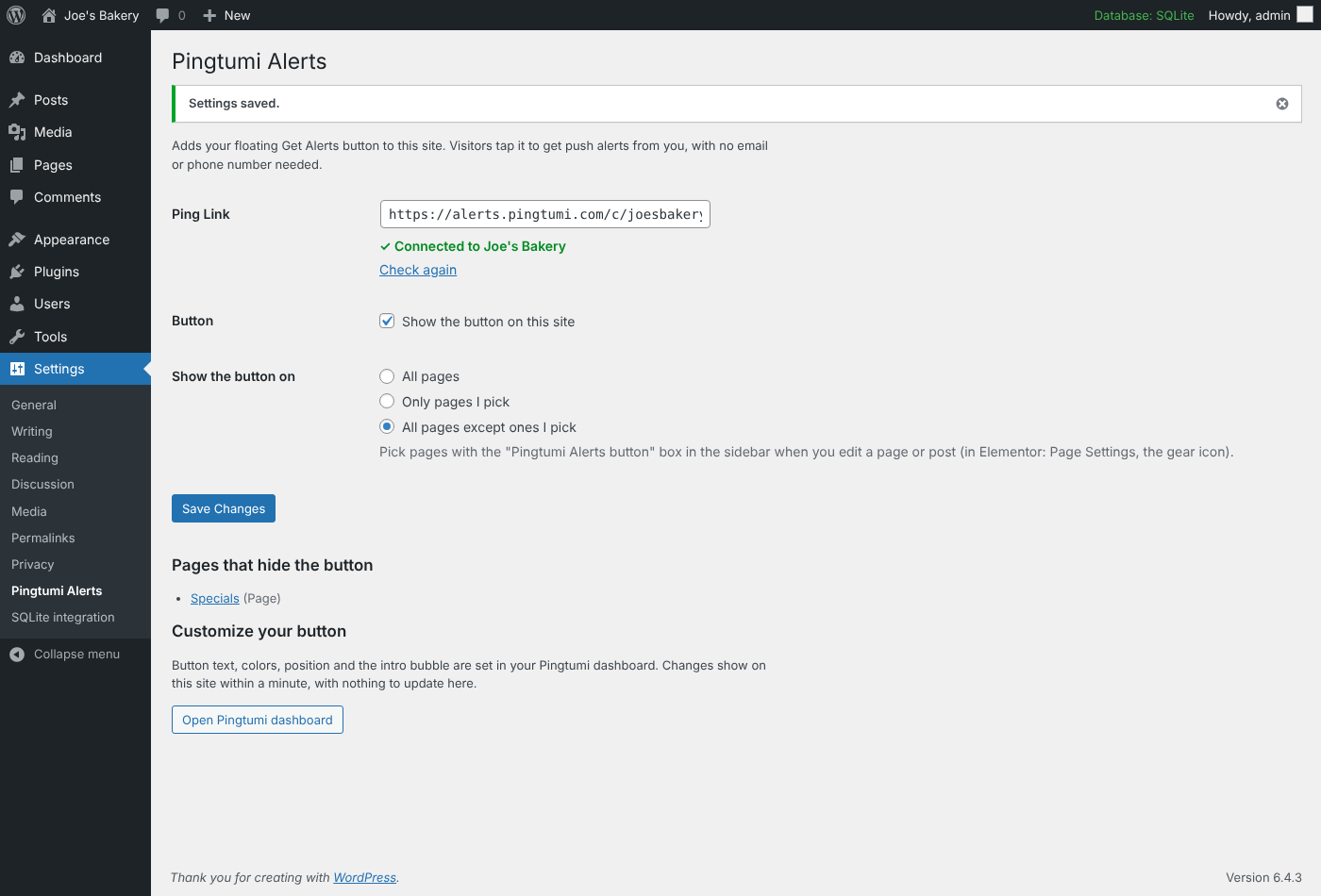
Open Settings → Pingtumi Alerts and paste the link from your Pingtumi dashboard. You’ll see a green “Connected” check.
Send your first alert
The button is now on your site. Whenever you have news, send an alert from your Pingtumi dashboard and every subscriber gets it.
Everything you need, nothing to maintain
No email or phone needed
Visitors subscribe with one tap. You never collect personal details, so there's nothing to store, protect or lose.
Styled from your dashboard
Button text, colors, position and the intro bubble are set in Pingtumi. Changes show on your site within a minute, with no plugin update.
Pick your pages and posts
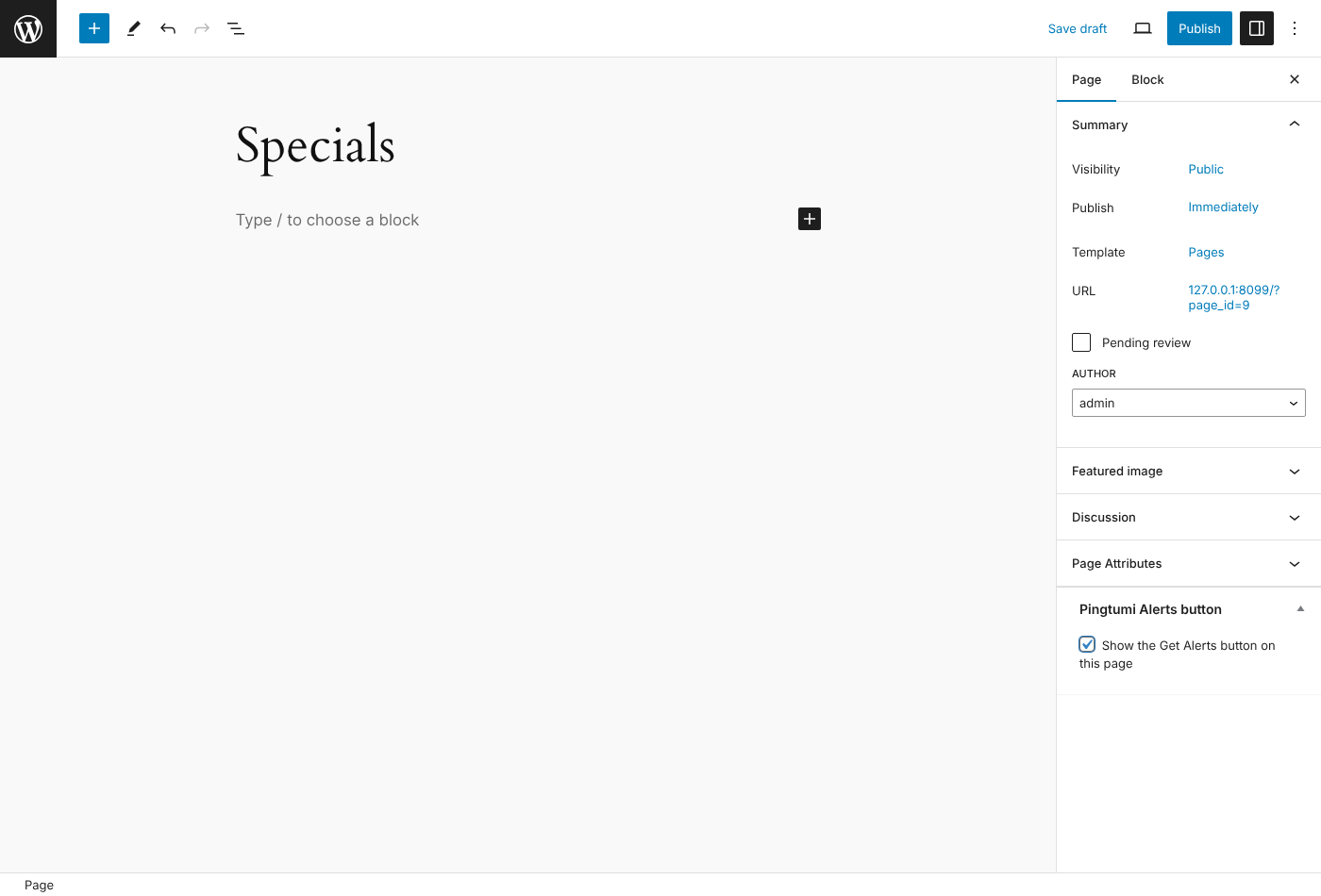
Show the button everywhere, only where you choose, or everywhere except a few. Each page and post has a simple checkbox in its editor.
WooCommerce ready
The button shows on your shop and product pages and stays off Cart and Checkout, so it never distracts a shopper who's paying.
Plays nicely with caching
Works with LiteSpeed Cache, WP Rocket, Autoptimize, SiteGround Optimizer and Cloudflare out of the box.
Won't slow you down
One small script, loaded in the background after your page. If Pingtumi is ever unreachable, your site works exactly as before.
Questions, answered
Yes. The plugin is free, and so is a Pingtumi channel. Sending alerts uses Pingtumi coins, and new accounts start with free coins.
In your Pingtumi dashboard, open your channel and choose Share. It looks like alerts.pingtumi.com/c/abc123.
No. On a computer they allow notifications in the browser. On a phone they add your Ping Page to their Home Screen in a couple of taps.
Yes. The button is added through WordPress itself, so it works with any theme or builder. In Elementor, the per-page switch is under Page Settings (the gear icon).
On WordPress.com, plugins need the Business plan or higher. Self-hosted WordPress works on any host.
Yes. Untick “Show the button on this site” in Settings → Pingtumi Alerts, or switch it off in your Pingtumi dashboard.
Start reaching your visitors today
Install the plugin, paste your Ping Link, and your Get Alerts button is live.