


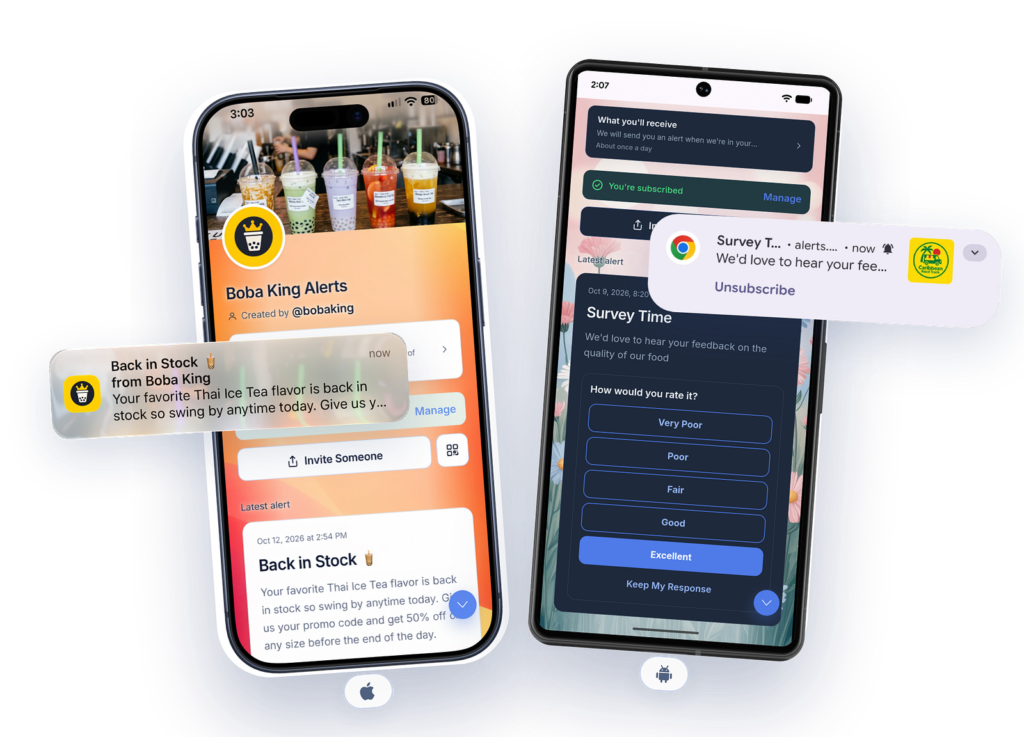
Your food truck has arrived. Your next video is live. Your bakery’s Friday specials are ready.
You have something people want to hear. Getting that message to them should be simple.
But anyone who runs a small business, manages a community, or creates content knows the challenge. An email can disappear into a crowded inbox. A social post may never reach the people who followed you. SMS adds sending costs and requires people to share their mobile numbers before you can contact them.
What if someone could simply scan a QR code, choose to follow your updates, and receive a notification when you have something to share?
That’s the idea behind Pingtumi Alerts.

A Simple Way to Stay Connected
Pingtumi Alerts lets businesses, creators, and organizations send push notifications to people who subscribe to their channels.
Followers don’t need to give you their phone number, email address, or social media handle. They also don’t need to download an app from the App Store or Google Play. You don’t need to build a contact database before you can start sharing updates.
Create a channel. Share its link or QR code. Let people decide whether they want to hear from you.
How It Works
Visit alerts.pingtumi.com and create a channel for your business, community, or project.
Your channel gets a Ping Link and a QR code. Share them wherever people already find you: your website, social profile, email signature, storefront, menu, event poster, or product packaging.
Followers tap the link or scan the code to open your Ping Page and follow the subscription steps.
- On supported Android browsers, followers can subscribe through web push and allow notifications.
- On iPhone, followers add your Ping Page to their Home Screen, open it, and allow notifications.
There’s no app download required.
When you have an update, compose your alert in the dashboard and send it to your channel’s subscribers. Notifications appear according to each follower’s device settings and permissions.
No group chat to manage. No phone number list to maintain.
Why Use Pingtumi Alerts?
1. Followers Keep Their Contact Details Private
Wanting an update shouldn’t mean having to hand over a personal phone number.
Pingtumi Alerts lets people subscribe without sharing their phone number or email address with the broadcaster. A customer can follow a favorite food truck, or a viewer can follow a creator’s new releases, without joining another contact list.
The relationship starts with a simple choice: I want to hear from you.
2. No Per-Message Carrier Delivery Fees
SMS campaigns can involve registration requirements, number rental, and charges that grow with message volume.
Pingtumi Alerts uses push notifications rather than carrier text messages, so there are no per-message SMS carrier delivery fees.
That makes it a useful option for businesses and communities that want to share timely updates without relying on SMS.
3. Updates That Lead to Action
An alert is often just the beginning. What matters is what someone can do next.
Pingtumi Alerts Ping Page can include actions that help followers:
- Respond to a poll or RSVP to an event.
- Open directions to a store, venue, or meeting point.
- Access guest Wi-Fi details.
- Get a promo code for a special offer.
- Open a link to a new video, product, or announcement.
A short notification gets their attention. Your Ping Page gives them somewhere useful to go.
Built for Everyday Moments

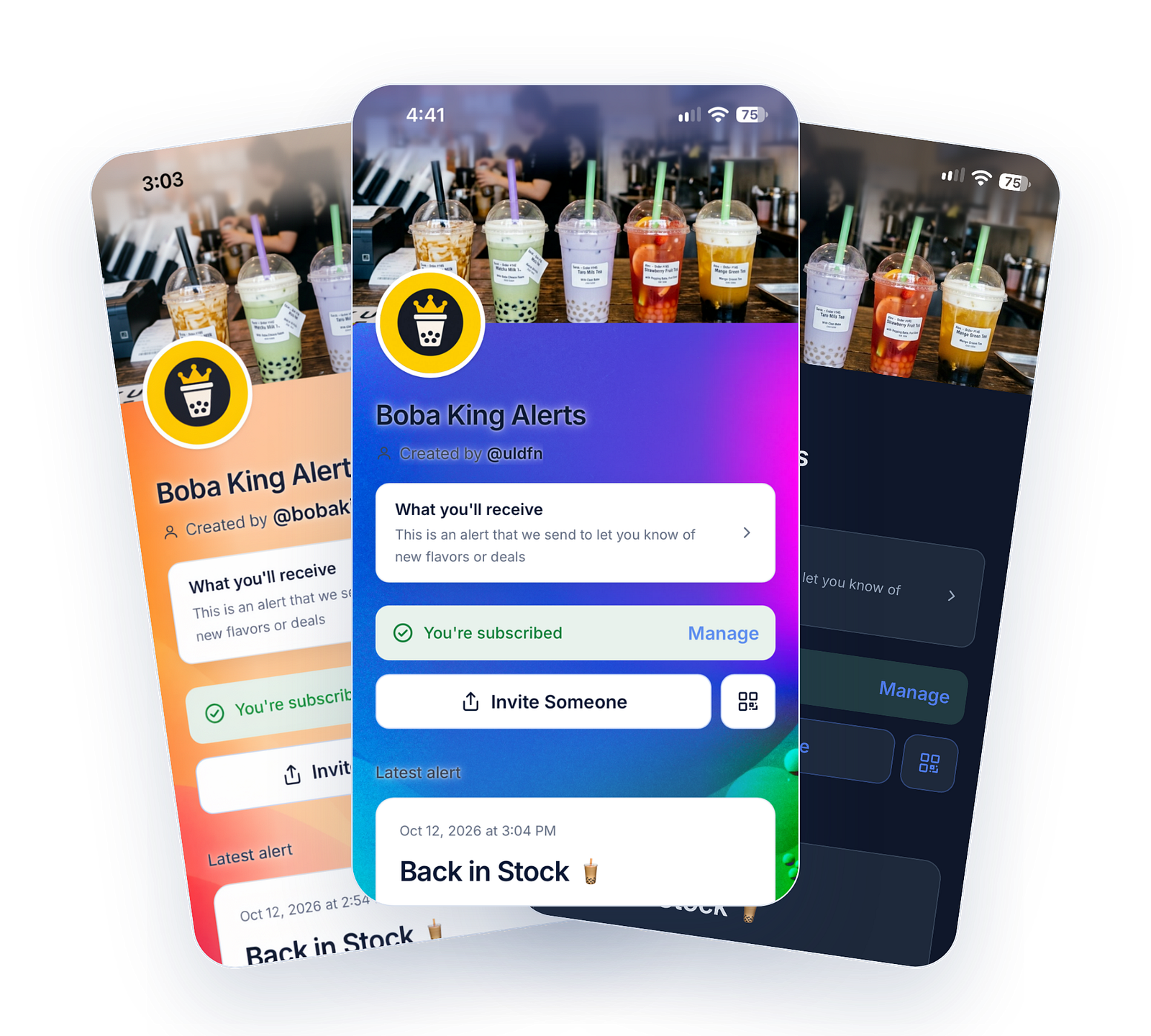
You don’t need a technical team or a huge audience to have a reason to send a ping.
The neighborhood bakery: Friday’s sourdough is ready. The baker sends an alert with the day’s specials and directions to the shop.
The food truck: Lunch service has started at today’s location. Followers get an update with a map link.
The digital creator: A new explainer video is live. Subscribers get a notification linking to it, without depending on whether a social feed surfaces the announcement.
The café or local venue: With Pingtumi’s Next-In-Line queueing feature, customers scan a QR code to join a digital queue and receive a ping when it’s their turn.
The club or community group: An organizer shares an event invitation, a calendar file, or a last minute location change without starting another crowded group text.
The common thread is simple: people choose the updates they want, and you have a way to send them.
A Place on Your Followers’ Home Screens

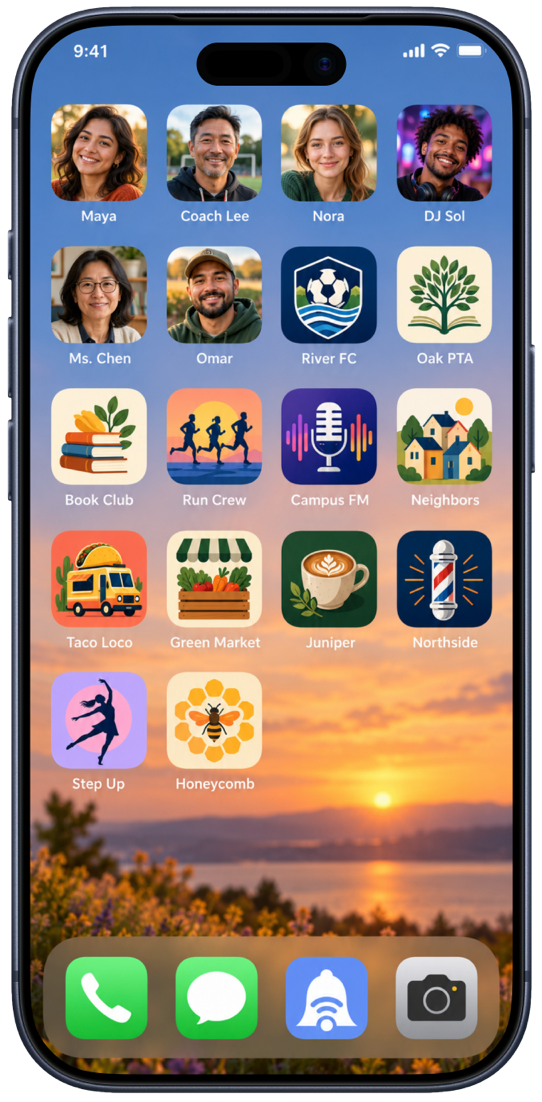
Building a dedicated mobile app can be a major project for a small business or independent creator.
Pingtumi offers a simpler way to establish a mobile presence.
Followers can add your Ping Page to their Home Screen as a web app. That gives them an icon they can tap to return to your page and, with their permission, a way to receive your notifications.
For a local shop, a neighborhood club, or an independent creator, that’s a useful connection to have.
A More Considerate Way to Reach People
Email, SMS, and social media each have their place. But an occasional update, (a micro message) doesn’t always need another email subscription, a personal phone number, or a group chat.
Sometimes people just want to know:
Have you arrived? Is it available? Has something changed? Is it my turn?
Pingtumi Alerts is built for those moments.
It gives you a way to share timely information while letting followers keep their contact details to themselves.
Send Your First Ping
You can create a channel without a credit card or a team of developers.
Visit alerts.pingtumi.com, set up a test channel, and scan your own QR code. Follow the subscription steps on your phone, then send yourself an alert.
Start with one channel and one ping and then expand from there.
Our mission is to help anyone reach their audience directly, instantly, and on their own terms.
Happy Pinging!