


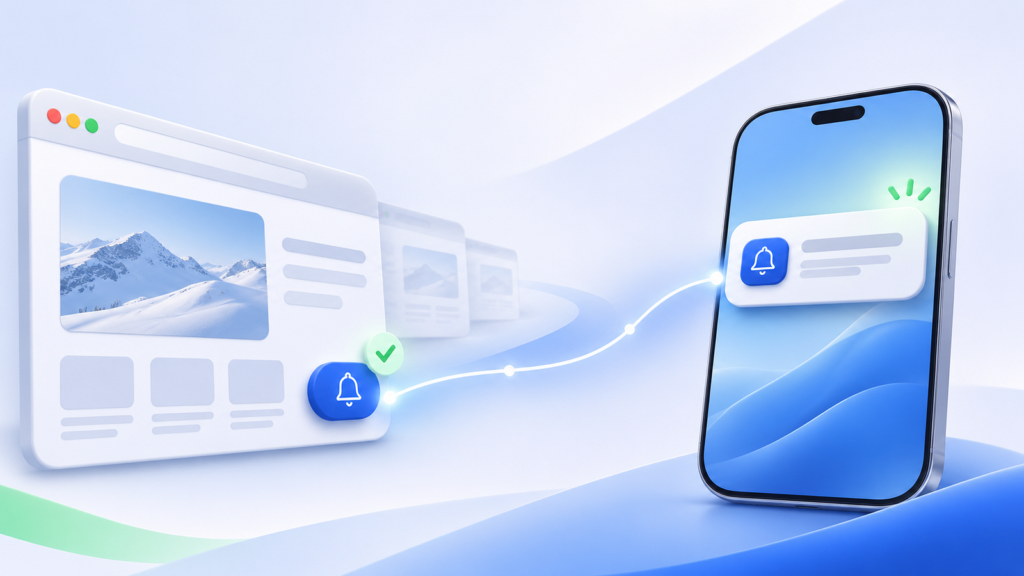
Introducing the Pingtumi Alerts floating button — a simple, privacy-friendly way for visitors to get timely updates without sharing an email address or phone number.
People visit your website because they’re interested in what you have to offer. But once they leave, how do you bring them back when there’s something worth knowing?
Email forms ask visitors to surrender an address. Text-message lists require a phone number. Social media asks people to follow you on a platform where an algorithm may decide whether they ever see your update.
The new Pingtumi Alerts floating button offers a simpler alternative. Let visitors subscribe to your alerts directly from your website without creating an account, sharing an email address, or providing a phone number.
That makes subscribing feel lighter for the visitor and means the business does not have to collect and safeguard another database of personal contact details.
Visitors remain in control. They choose whether to subscribe to your alerts on their mobile phone or computer and can set Quiet Hours or unsubscribe whenever they wish.
A direct connection, built into your website
The Pingtumi Alerts button sits discreetly in the corner of your website, ready when a visitor wants it.

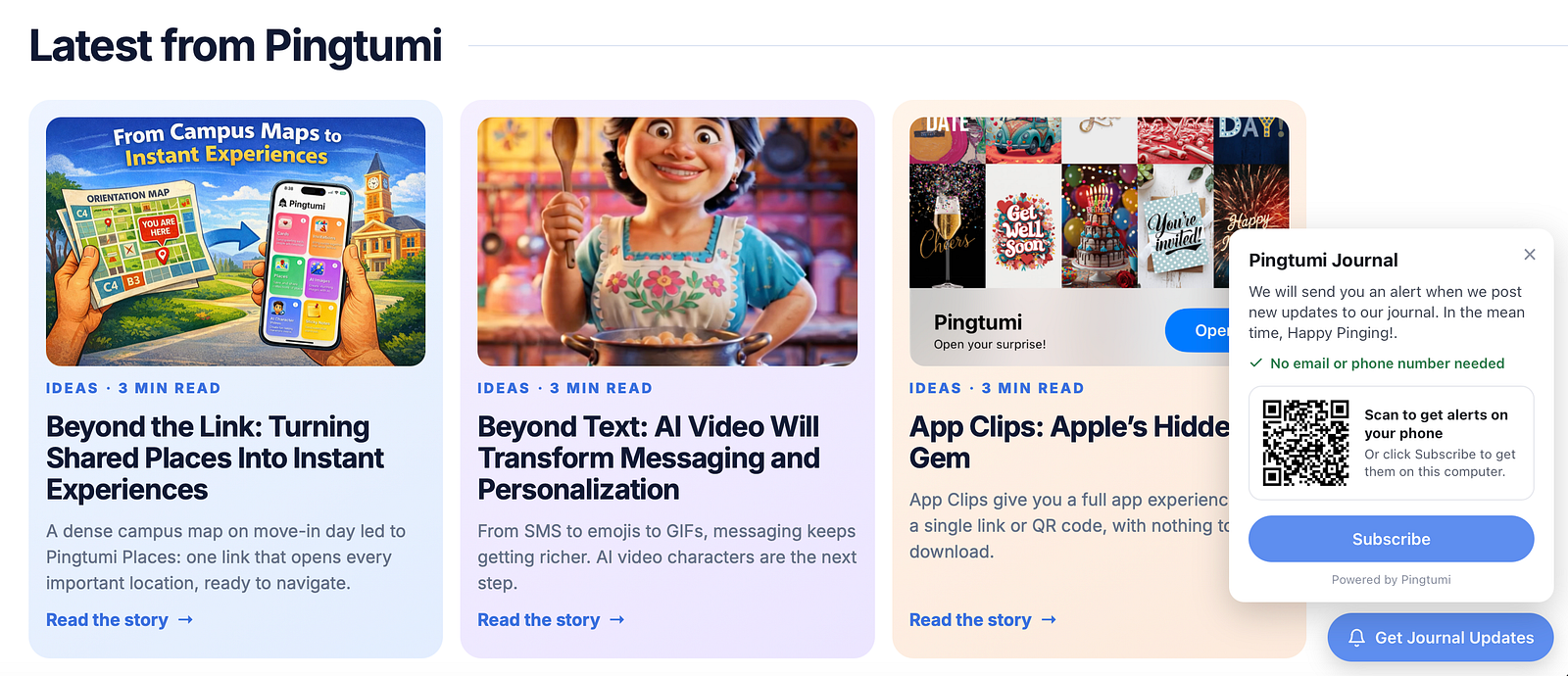
When someone selects your button, a small invitation introduces your alert channel and explains what they can expect. From there, the visitor can open your Ping Page via a QR Code or link and subscribe to notifications.
There is no lengthy registration form and no personal contact information to enter. Visitors choose to subscribe and you gain a direct way to reach them when you have something timely and useful to share.
It turns an ordinary website visit into an ongoing connection.
Give visitors a reason to come back
Most website visitors are not ready to take action immediately. They may be comparing options, waiting for a product to return, planning a future visit, or simply exploring.
The floating button gives them a lightweight way to say, “Keep me posted.”
A retailer might invite visitors to receive restock alerts, a food truck could announce its next location, a venue might share ticket releases and event reminders, a farm stand could let customers know what is fresh that morning.
The invitation can focus on the specific information visitors care about instead of asking them to join a generic marketing list.
Notifications that can lead somewhere useful
A Pingtumi alert is more than a brief notification.
When a subscriber opens one, it takes them to your branded Ping Page where they can see the complete update including an image, and an optional Action Button. Depending on the alert, that button could let them:
- Visit a product or registration page
- Get directions
- Place an order or make a payment
- Reveal a promotional code
- Claim a flash deal
- Add an event to their calendar
- RSVP to an event
- Answer a poll
- Call, text, or email you
That means a website visitor can subscribe today, receive a relevant alert later, and return ready to take the next step.
Simple for businesses to add
The Pingtumi Alerts button works without a complicated integration. A website owner copies one line of code from their Pingtumi dashboard and pastes it into their site once, the same way they’d add a chat widget. WordPress, Wix, Squarespace, Webflow and Google Tag Manager all work, and if someone else manages the site, the owner can email them the code and setup steps in one tap. We also offer a custom WordPress plugin that can be installed and configured to appear on as many pages or posts as you wish.
After that, the button’s text, colors and position are all changed from the dashboard. It can even be turned off there, and the site updates by itself with no new code.
The button connects to an existing Pingtumi channel, so alerts are still created, scheduled and managed from the same Pingtumi Alerts dashboard. No native app, custom notification system or subscriber database needs to be built, and visitors subscribe without disclosing their email address or phone number.
A better invitation than “join our mailing list”
Websites have used the same calls to action for years, Subscribe to our newsletter, enter your email, or follow us on social media. Those options still have their place but they are not always the best fit for timely updates.
When someone only wants to know that an item is available, a table has opened up, tickets are live, or a location has changed, they should not have to join a broad marketing funnel. They should be able to subscribe to precisely the updates they value and unsubscribe when they no longer need it.
That is the idea behind the Pingtumi Alerts button. A clear invitation, a voluntary connection, and a useful notification at the right moment.